
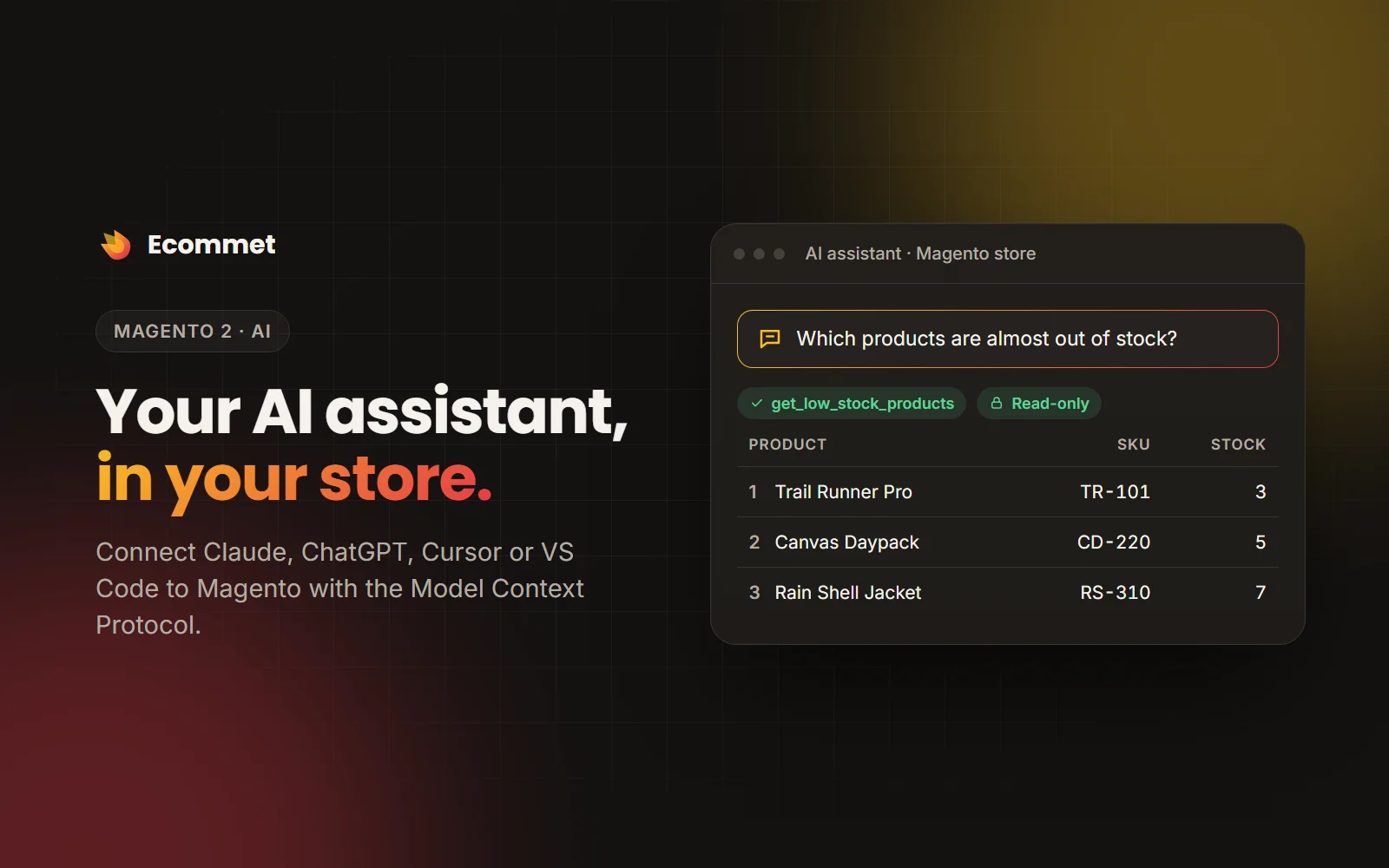



MCP Server connects Claude, ChatGPT, Cursor, VS Code and other AI assistants to your Magento store through the Model Context Protocol. Ask “How did sales compare to last month?”, “Which products are almost out of stock?” or “Ship order 000000145 with UPS tracking 1Z…”, and the assistant answers from your live store data, with the permissions of an admin user you choose.
It runs inside Magento: no Node.js and no separate server process.
28 tools for running a store
- Store: websites, store views, currencies, time zone and order statuses.
- Sales: search and read orders, daily, weekly or monthly sales summaries, top products. Optional write tools: add order comments, hold and release, cancel, invoice and ship.
- Catalog: search and read products (including configurable variants), categories, low-stock products. Optional write tools: update stock, prices (including special prices) and product status.
- Customers: search and read customers with addresses, lifetime sales and recent orders; customer groups.
- Marketing: cart price rules.
- Content: search and read CMS pages and blocks. Optional write tools: save pages and blocks.
Every tool describes its arguments with a JSON Schema and marks whether it only reads, changes data or is safe to repeat, so the assistant knows what it is doing. Invalid arguments come back as readable errors the model can correct, and other modules can add their own tools.
Secure by design
- Acts as an admin user. Each API key or OAuth connection is bound to one admin user, and every tool checks that user’s role. Create a dedicated user with a restricted role for least privilege.
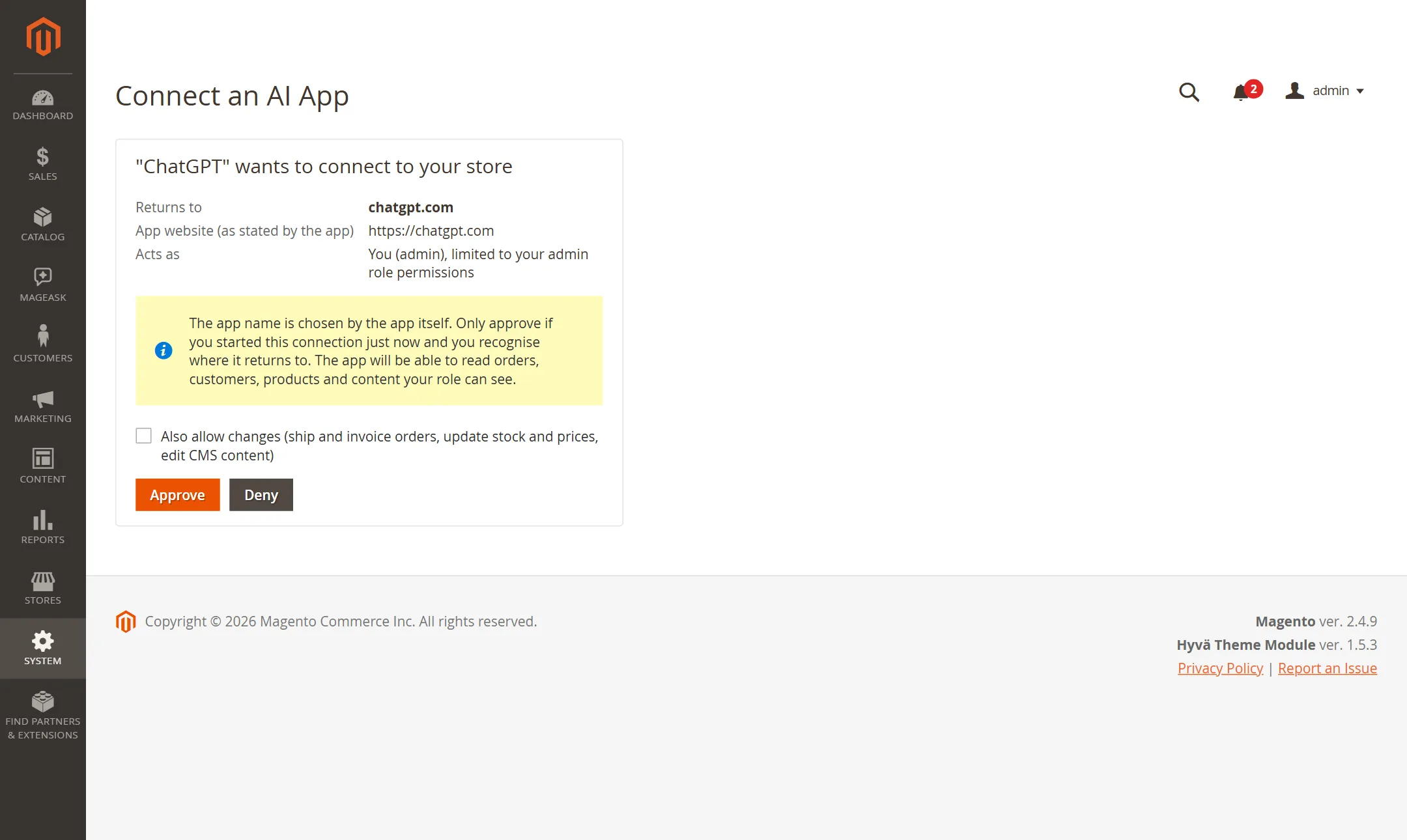
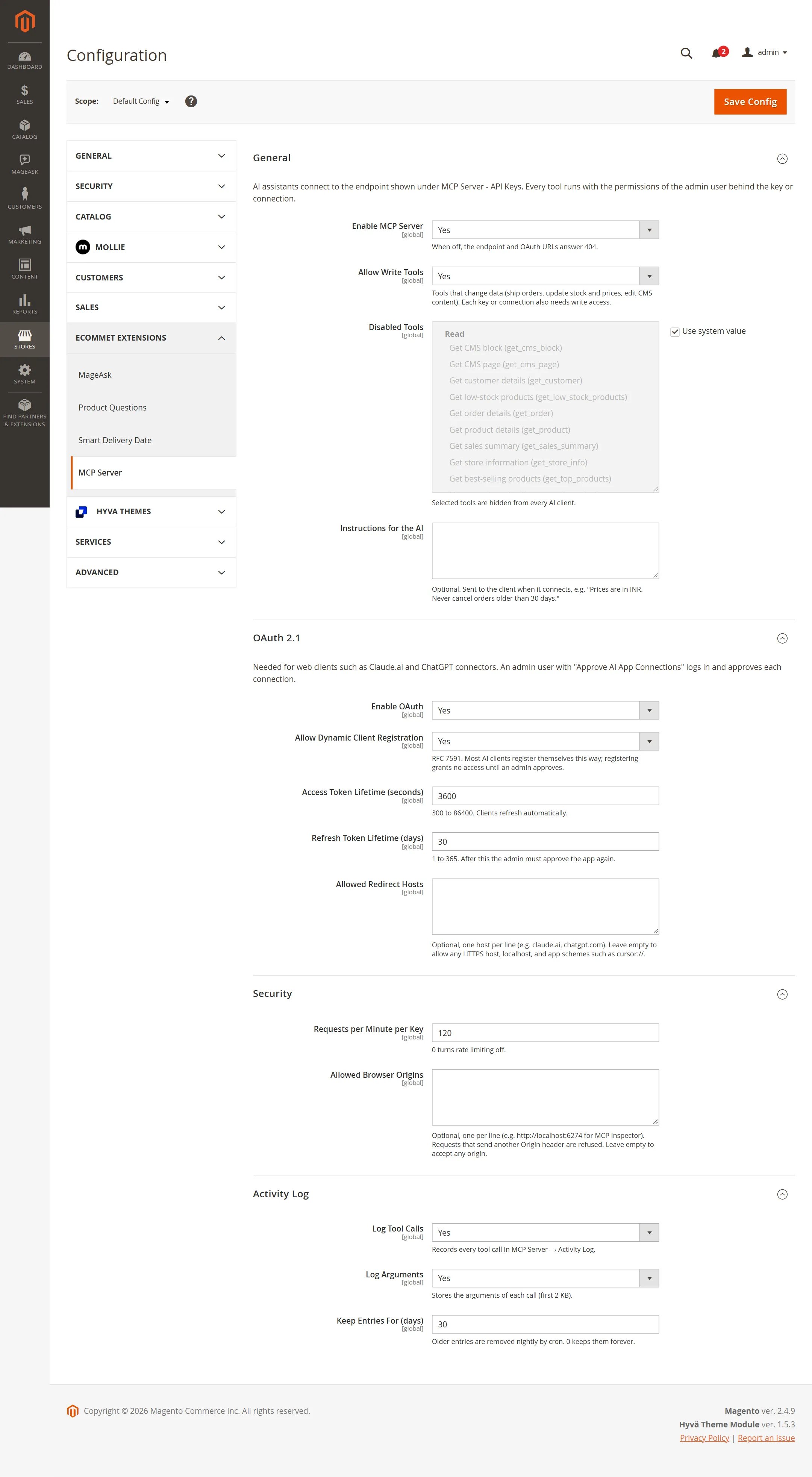
- Writes are off by default. Write tools need Allow Write Tools in the settings and write access on the key or connection; the OAuth consent screen asks for write access separately.
- Secrets are never stored. API keys, tokens, authorization codes and client secrets are kept only as SHA-256 hashes, and a new key is shown once.
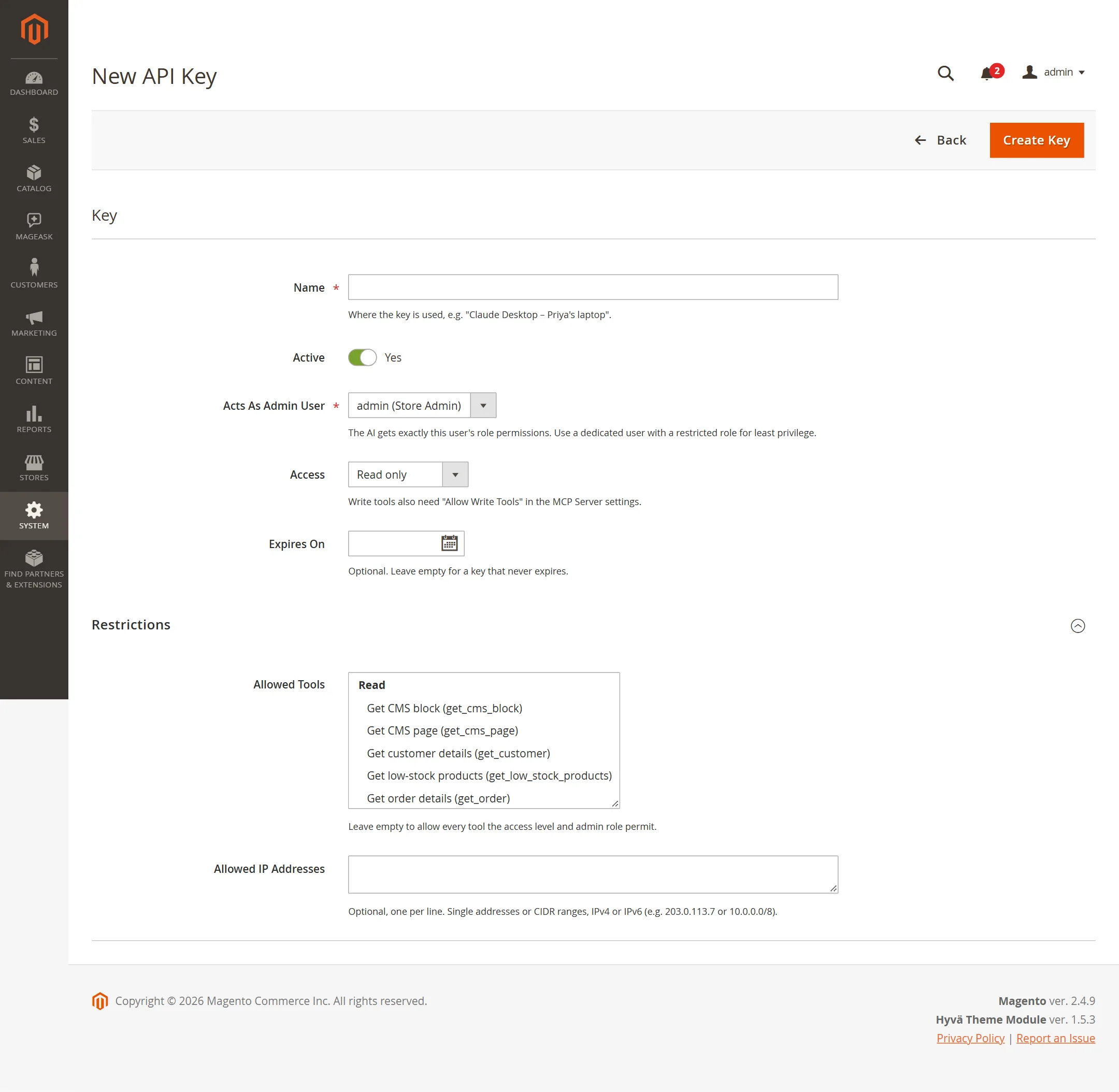
- Per-key limits: allowed tools, allowed IP addresses and ranges, an expiry date and an on/off switch.
- OAuth 2.1 with mandatory PKCE, exact redirect matching, refresh token rotation with reuse detection, and an optional list of allowed redirect hosts.
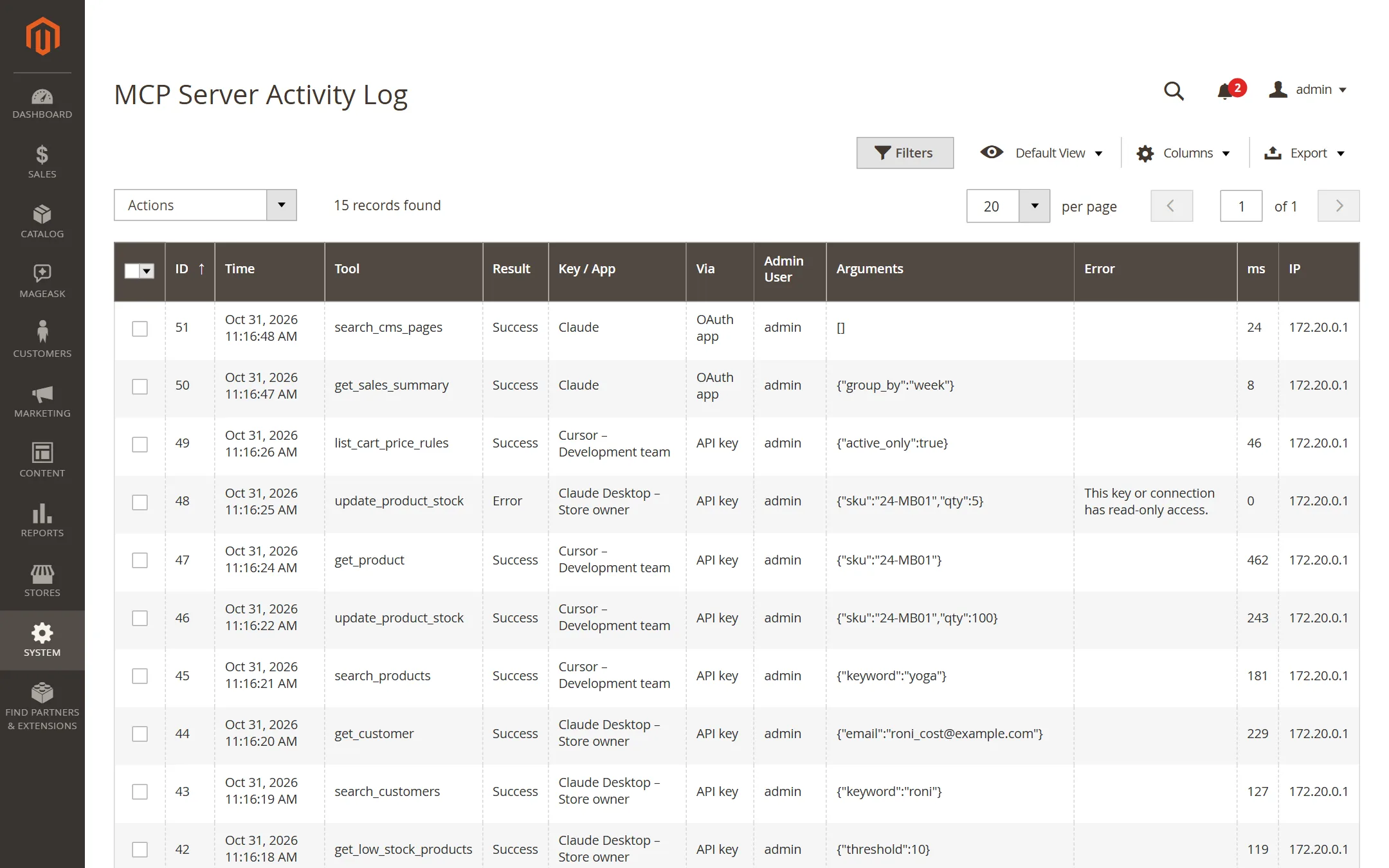
- Rate limits per key or connection, an origin check against DNS-rebinding attacks from browsers, and an activity log of every tool call: who, which tool, the arguments (secrets masked), the result, the duration and the IP address.
Connect your AI assistant
- With an API key (Claude Code, Cursor, VS Code, Claude Desktop, scripts): create a key under System > MCP Server > API Keys, choose the admin user it acts as and the access level, and copy one of the ready-made setup snippets.
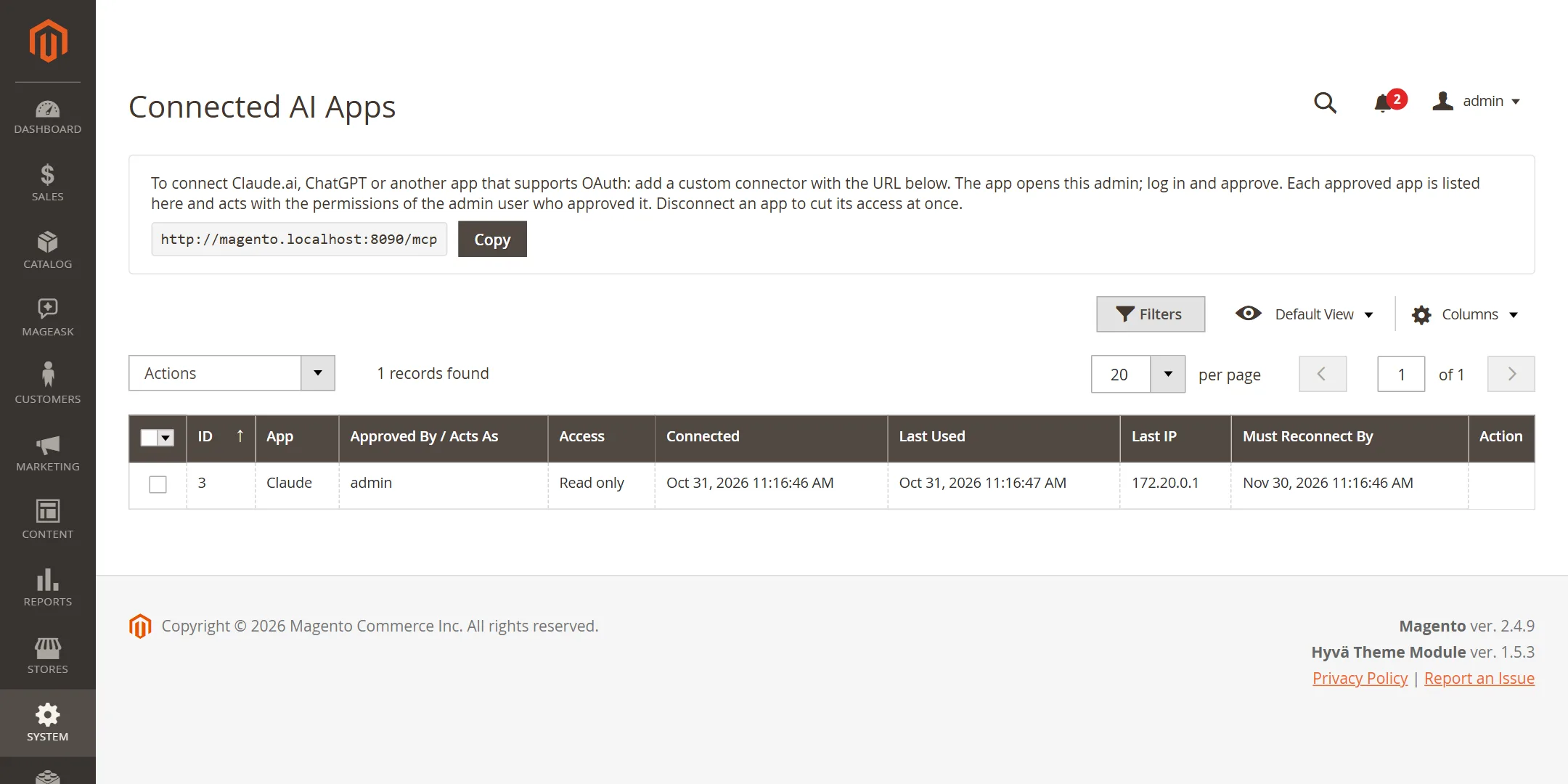
- With OAuth (Claude.ai, ChatGPT and other web connectors): add your store’s
/mcpURL as a custom connector, sign in to your Magento admin, check the app and approve it. The connection then appears under Connected Apps, where you can disconnect it at any time. - Keys can also be created from the command line with
bin/magento ecommet:mcp:key:create.
Good to know
- Web connectors such as Claude.ai and ChatGPT need your store on a public HTTPS address; desktop and IDE clients can use HTTP on localhost.
- If you use Varnish or a CDN, do not cache
/mcpor/.well-known/oauth-*. - Instructions for the AI, such as your business rules, can be set in the settings and are sent when a client connects.
Frequently asked questions
Can the AI change my store?
Only if you allow it. Write tools are off by default, and need both the Allow Write Tools setting and write access on the key or connection.
What can the AI see?
Only what the admin user behind the key or connection may see: every tool checks that user’s role. You can also limit a key to chosen tools and IP addresses.
Which AI apps work with it?
Any MCP client: Claude Code, Claude Desktop, Claude.ai, ChatGPT, Cursor and VS Code among them. API keys suit desktop and IDE clients; OAuth suits web connectors.
Do I need Node.js or another server?
No. MCP Server runs inside Magento. Only Claude Desktop needs Node.js on your own computer, for the mcp-remote bridge.
Can I see what the AI did?
Yes. The activity log records every tool call with who made it, the arguments (secrets masked), the result, how long it took and the IP address.