

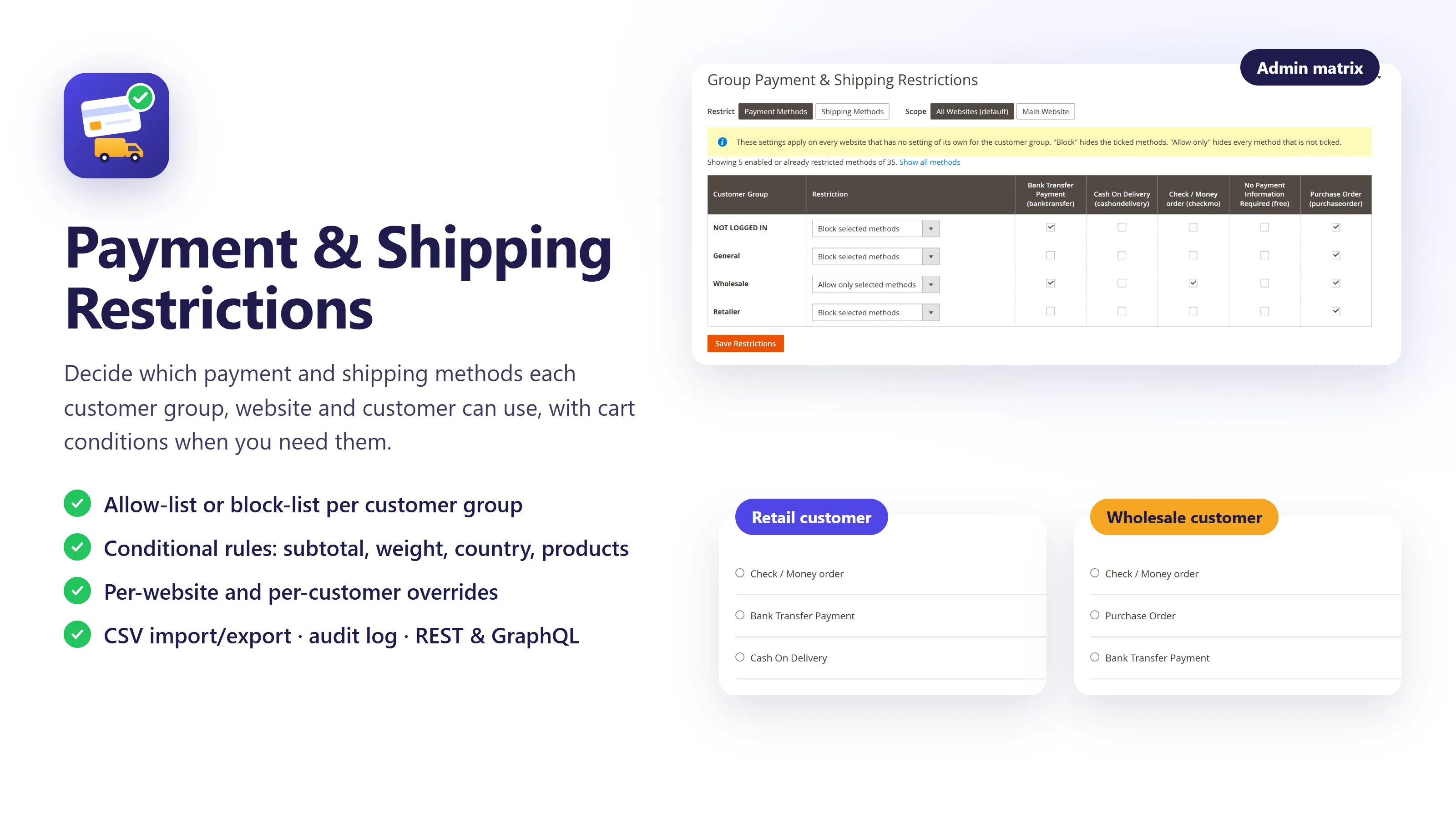


Payment & Shipping Restrictions lets you decide which payment and shipping methods each customer sees at checkout. Give wholesale buyers Purchase Order and Bank Transfer only, keep cash on delivery away from large orders, offer free shipping from a minimum order value, and keep a record of every change.
Restrictions are set per customer group, per website and per customer, and conditional rules react to the cart. The same restrictions apply at the storefront checkout, in admin order creation and over REST and GraphQL. Version 2.0 replaces Customer Group Payment Restriction 1.x, and restrictions from 1.x are migrated automatically.
One screen for every customer group
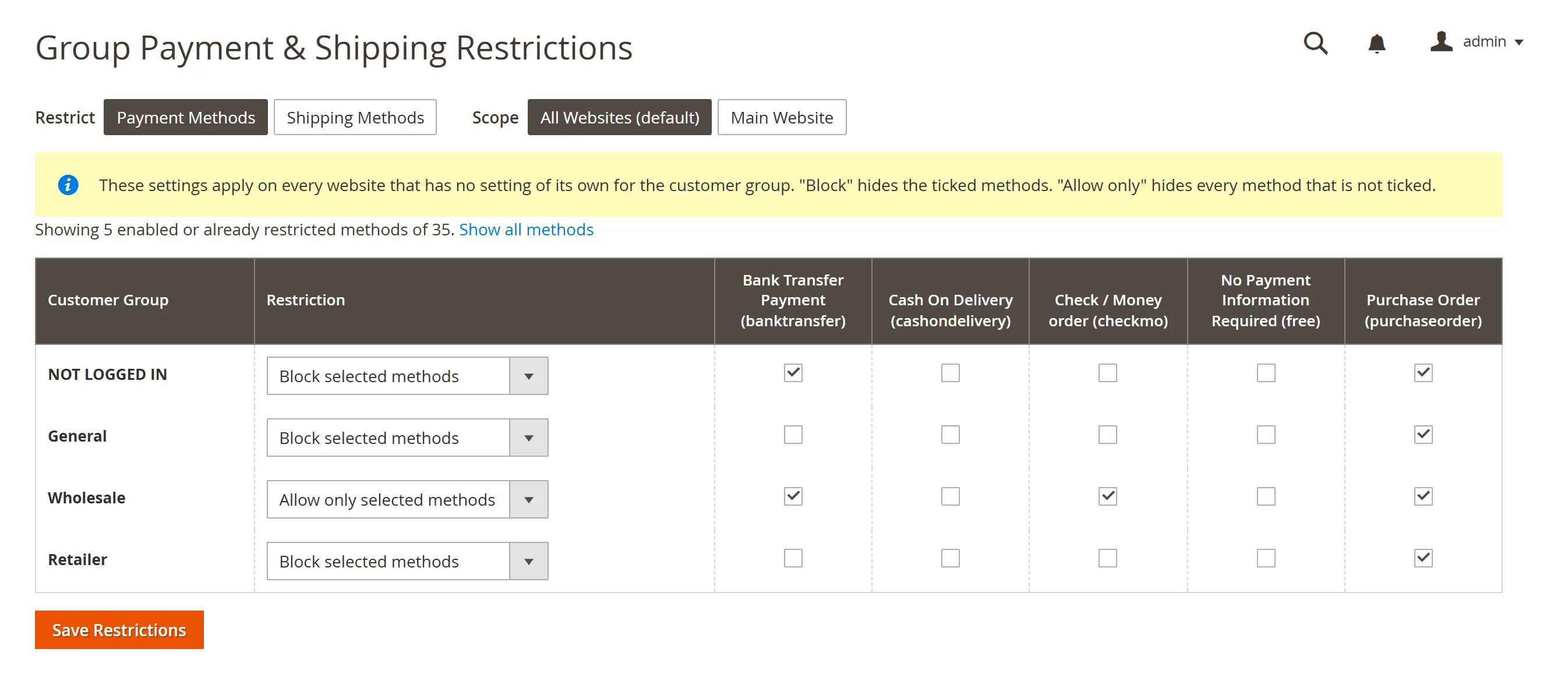
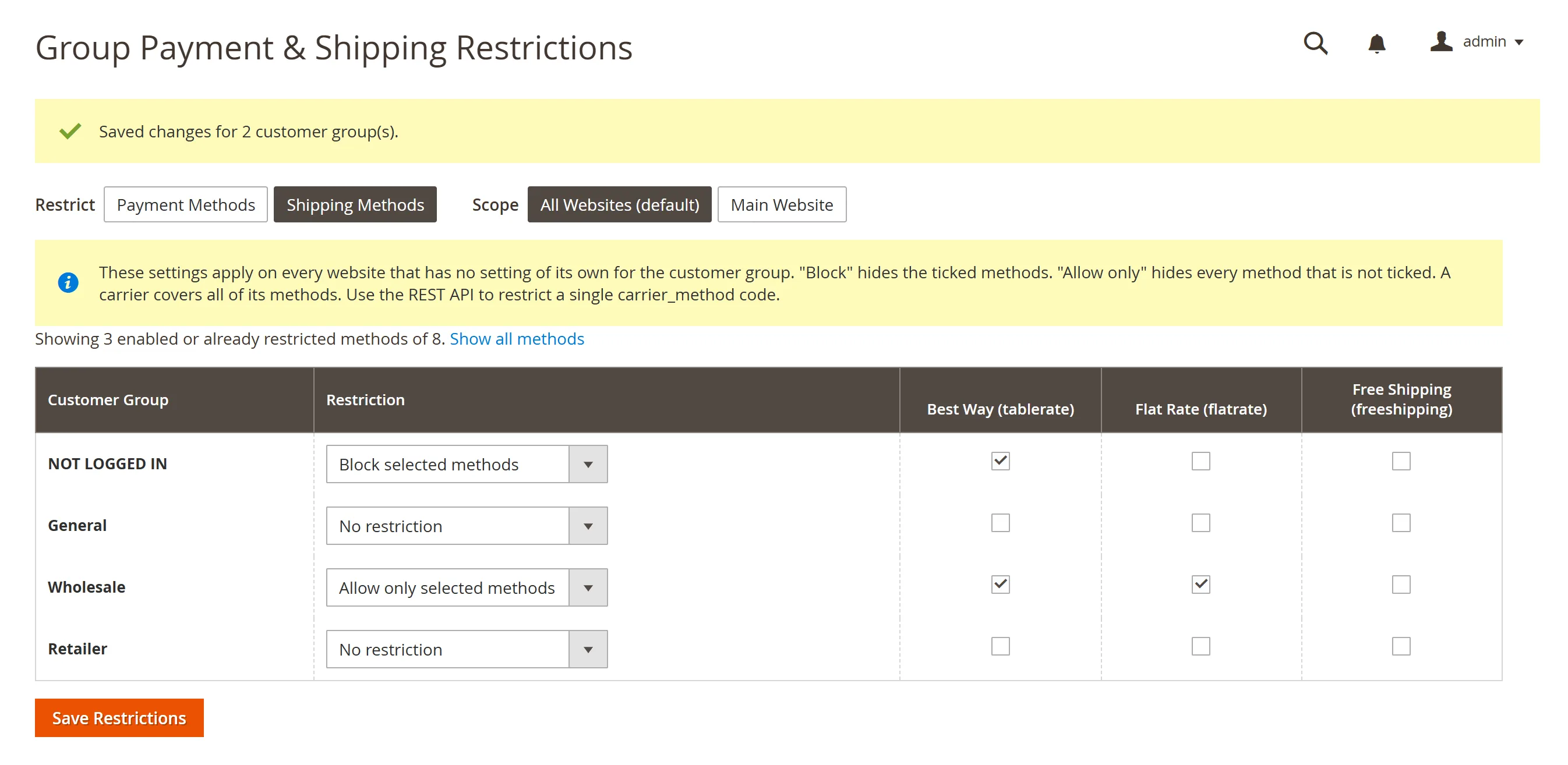
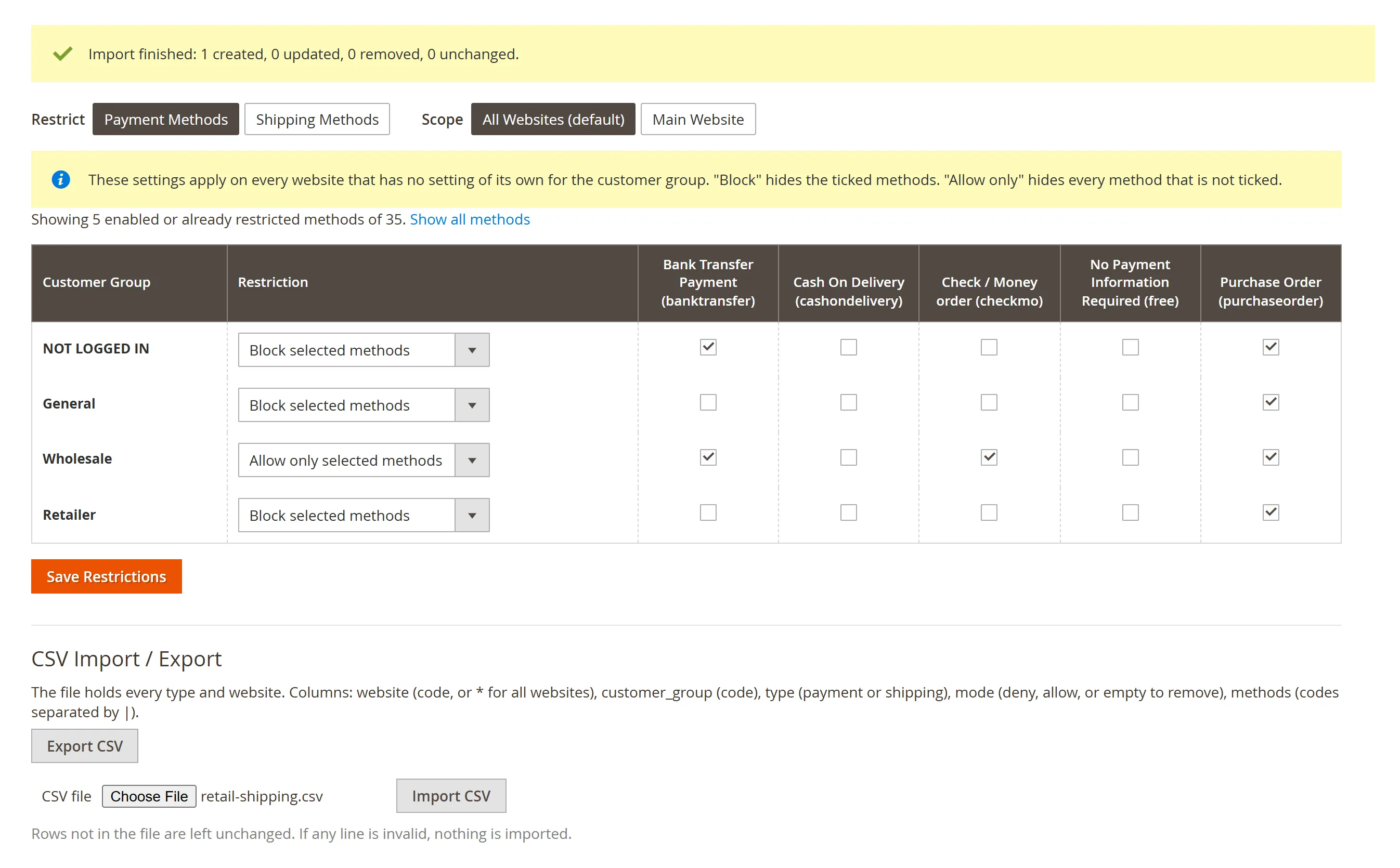
- A restriction matrix: customer groups as rows, methods as columns. Tick and save, with separate tabs for payment methods and shipping carriers.
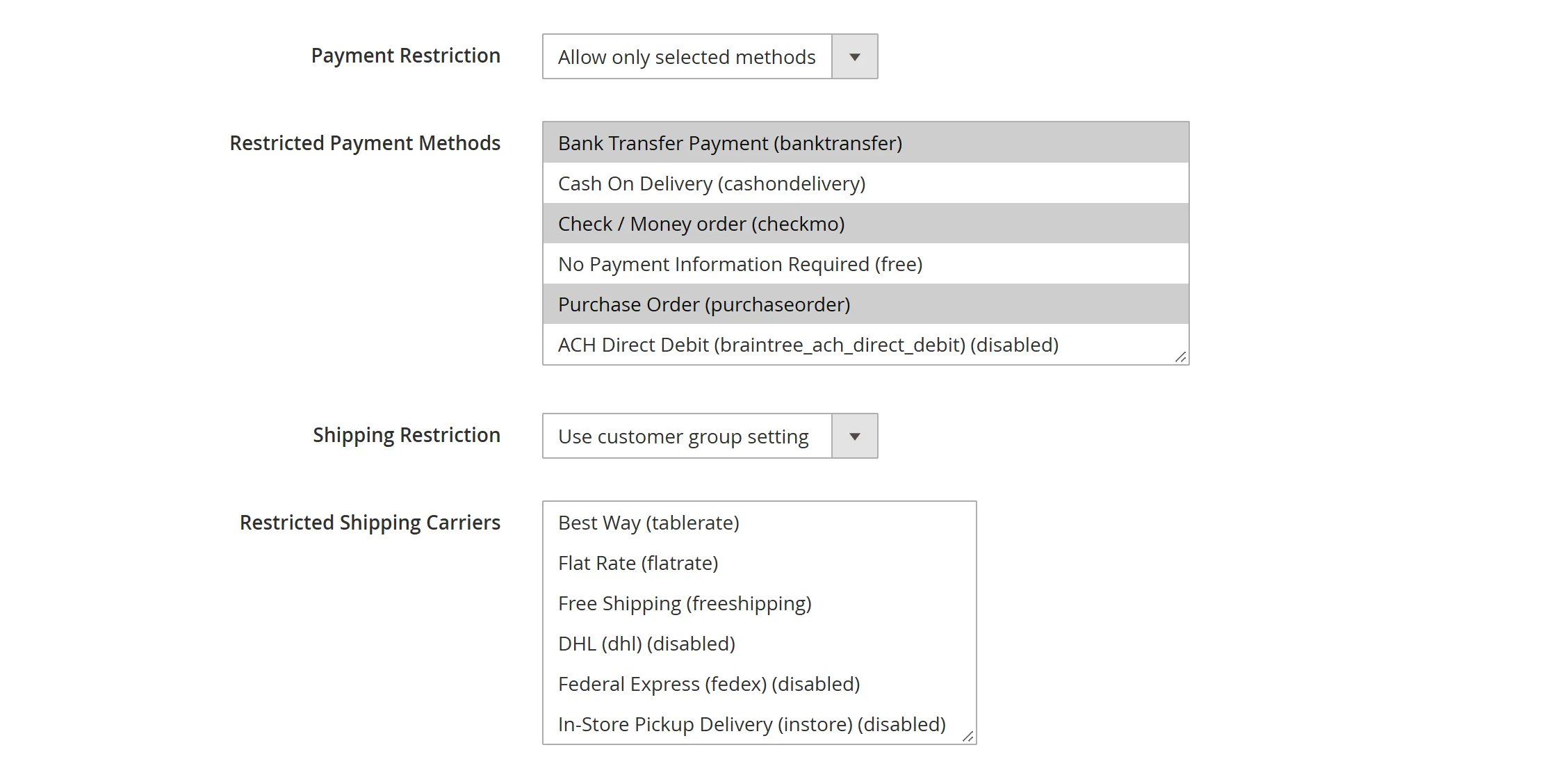
- Block or allow: “Block selected methods” hides the methods you tick; “Allow only selected methods” hides everything else (for example, Wholesale may pay by Purchase Order only).
- Shipping too: restrict whole carriers, or single carrier methods such as Table Rate Best Way through the API and CSV.
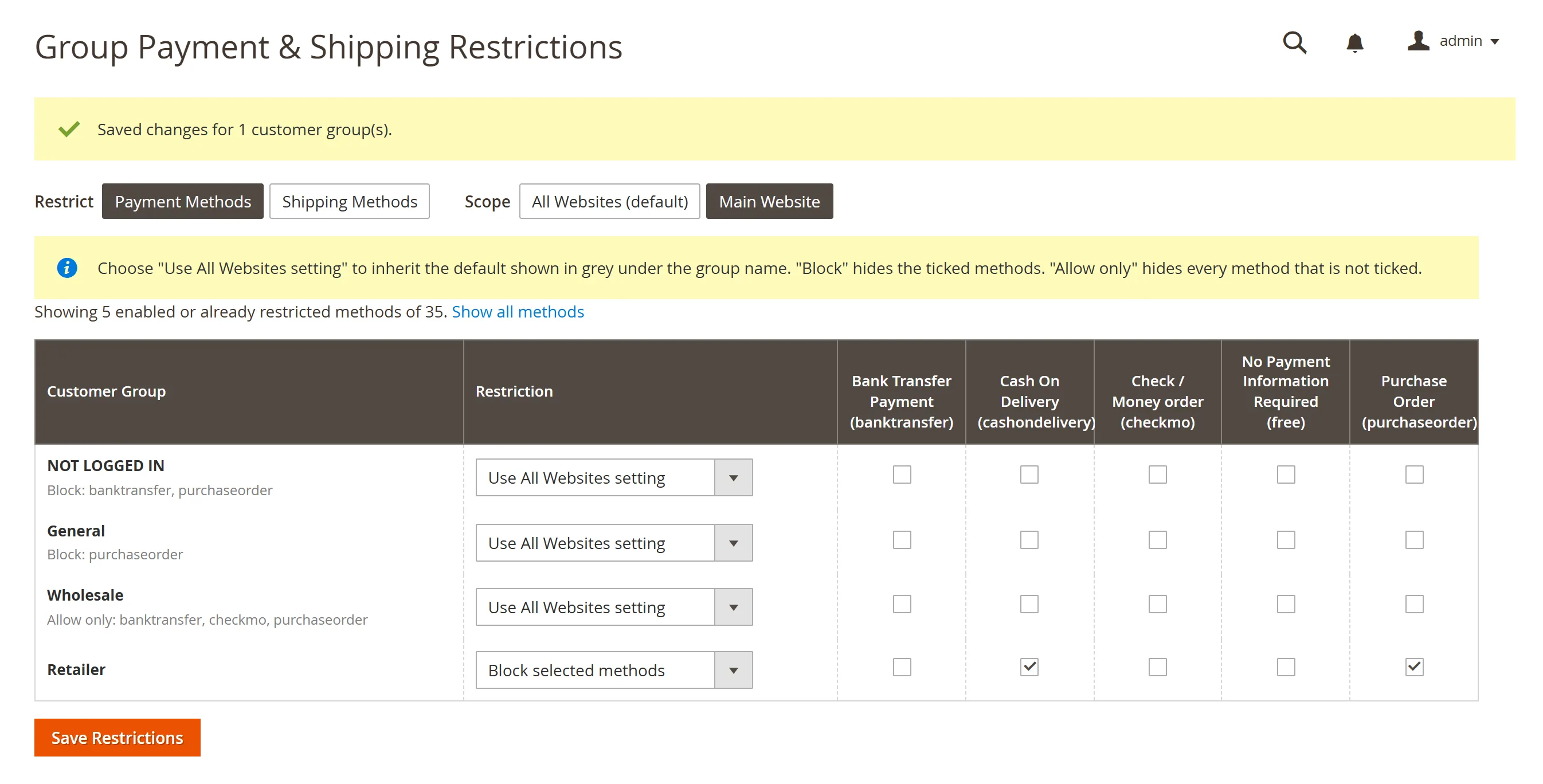
- Per website: an “All Websites” default, with an own setting per website where you need one. Inherited settings show in grey.
Rules that react to the cart
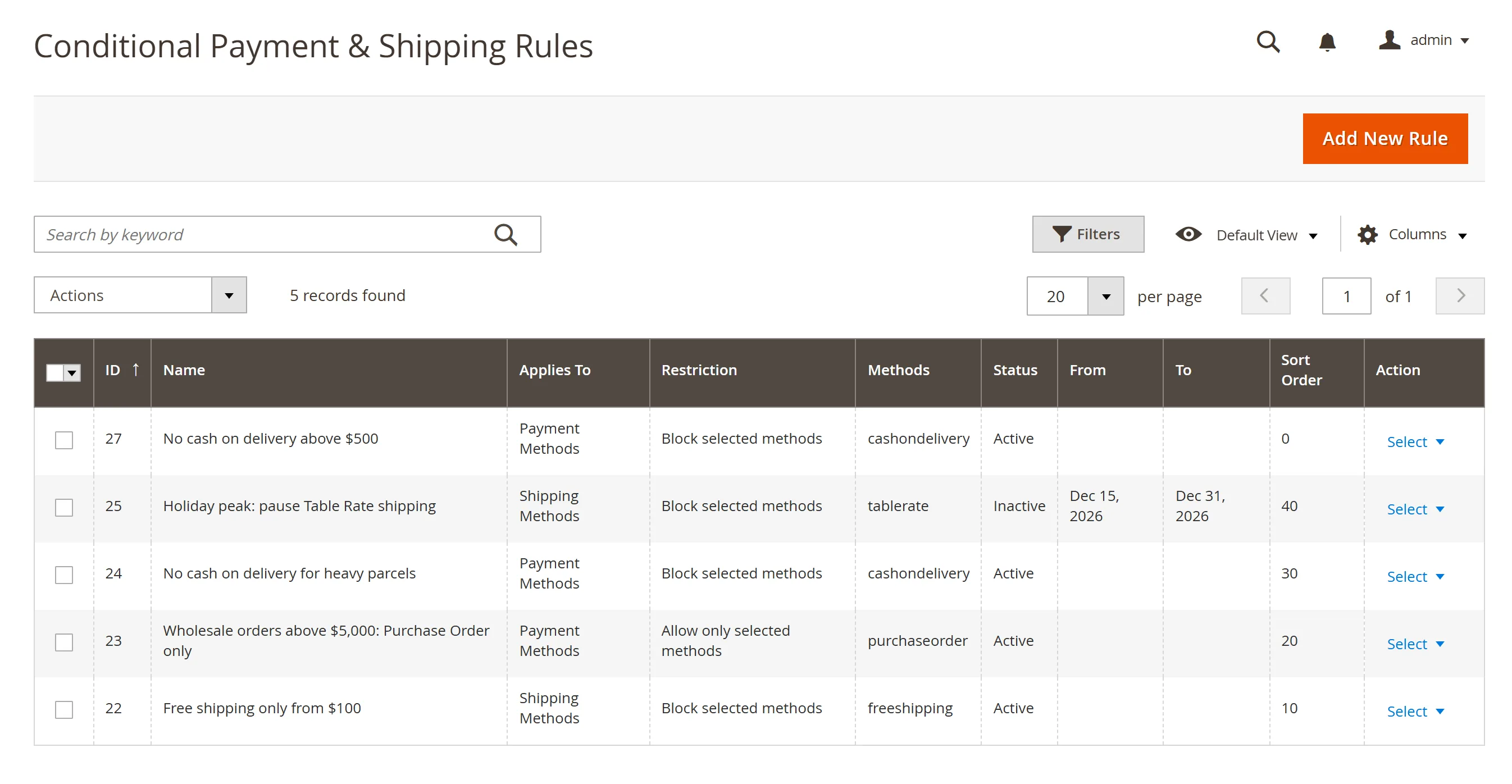
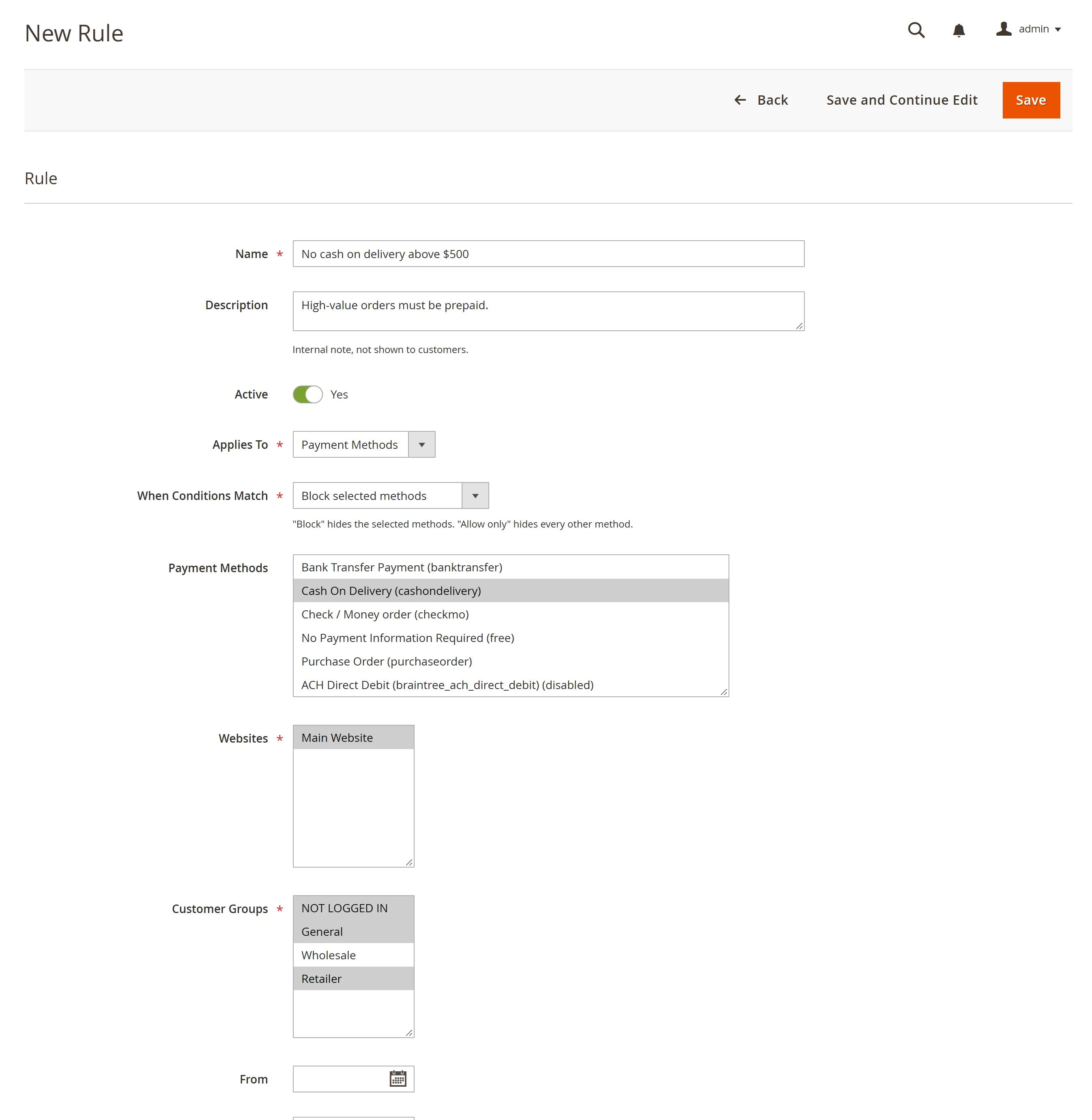
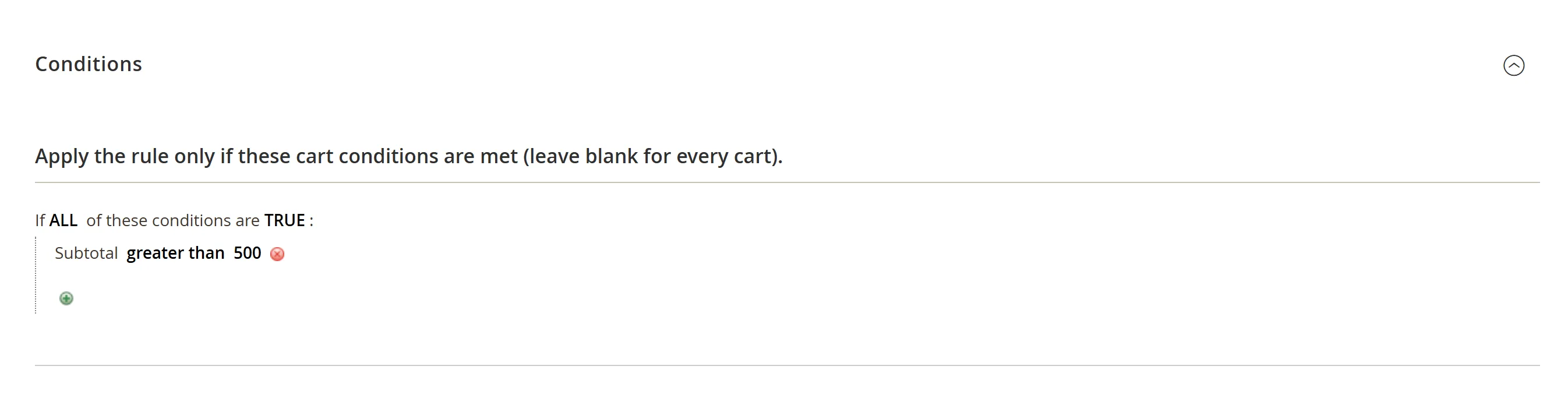
Conditional rules hide or allow methods when the cart matches, using the same condition editor as cart price rules: subtotal, weight, quantity, shipping country, region or postcode, shipping method, and products or categories in the cart. Each rule applies to chosen websites and customer groups, with optional start and end dates.
- No cash on delivery above a set order value, or for heavy parcels.
- Free shipping only from a minimum subtotal.
- Large wholesale orders on Purchase Order only.
- No express carrier to remote regions.
- No cash on delivery with store pickup (a shipping method condition on a payment rule).
Exceptions for individual customers
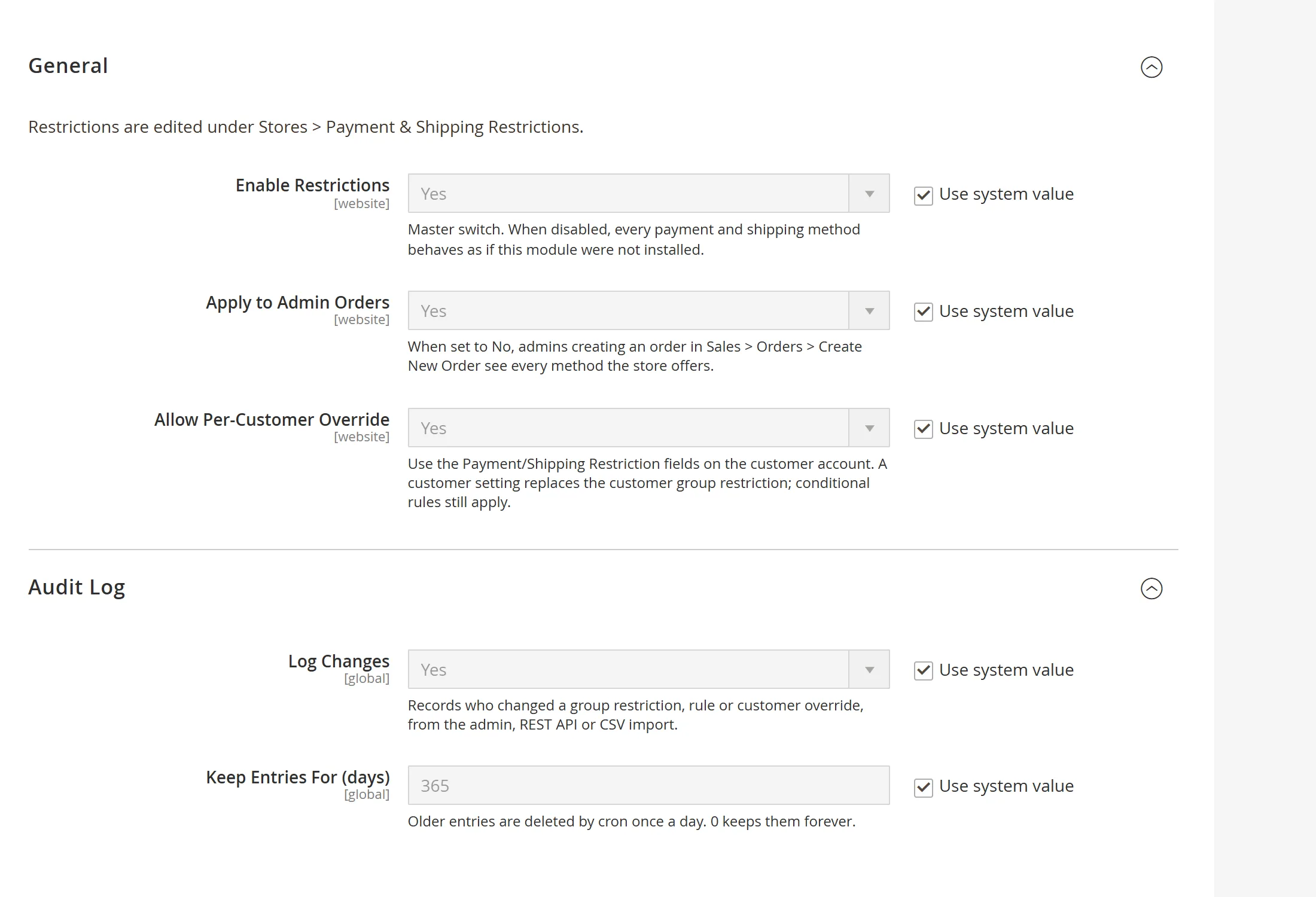
Give a trusted customer payment on account, or block a method for one customer, from four fields on the customer account. An override replaces the group setting for that customer on every website, and integrations can set it through the customer REST API.
Built for teams
- CSV export and import of all restrictions. Groups and websites are referenced by code, and the whole file is checked before anything changes.
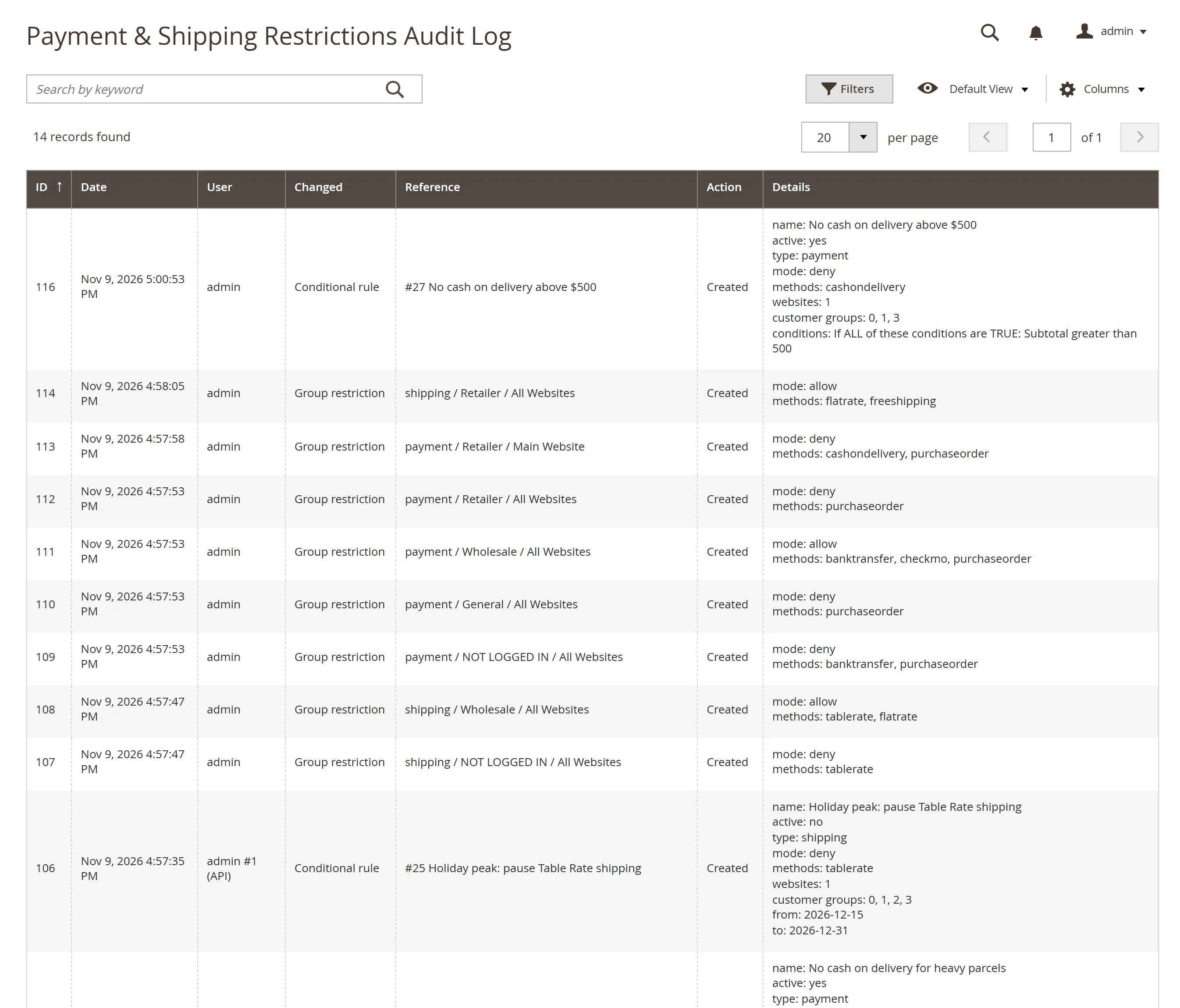
- Audit log: who changed what and when, from the admin, the API, an import or a customer save, with old and new values and a retention period.
- Separate permissions for restrictions, rules, the audit log and settings.
- Admin orders: apply the restrictions there too, or let admins see every method.
Works everywhere orders are placed
- Storefront checkout, admin order creation, REST and GraphQL all use the same restrictions. The customer group is read from the cart, so API and admin orders are not treated as guests.
- No storefront templates: methods are filtered on the server, so it works with Luma, Hyvä and headless storefronts.
- A REST API for restrictions, rules and the audit log, and a GraphQL
checkoutRestrictionsquery that tells headless storefronts which methods are allowed. - Declarative schema, no core changes, unit tests, and the Adobe Commerce coding standard.
Set it up in five minutes
- Make sure the payment methods are enabled in Stores > Configuration > Sales > Payment Methods.
- Go to Stores > Payment & Shipping Restrictions > Group Restrictions.
- On Payment Methods with All Websites (default): for Wholesale choose “Allow only selected methods” and tick Check / Money order, Purchase Order and Bank Transfer; for NOT LOGGED IN choose “Block selected methods” and tick Purchase Order.
- Click Save Restrictions. A wholesale customer now sees only those three methods at checkout, and guests no longer see Purchase Order.
Frequently asked questions
Does it restrict shipping methods as well as payment methods?
Yes. The matrix has a Payment Methods tab and a Shipping Methods tab, and rules and customer overrides can act on either. Shipping restrictions take a whole carrier, or a single carrier method through the REST API or CSV.
What happens when a customer group, a customer override and a rule all apply?
The customer’s override is used if there is one; otherwise the group’s setting for the cart’s website, then the group’s All Websites setting. Every active rule that matches the cart must then also allow the method.
Do the restrictions apply to admin orders and API orders?
Yes. Admin order creation, REST and GraphQL follow the same restrictions as the storefront checkout. You can switch admin orders off in the configuration so admins see every method.
Does it work with Hyvä or a headless storefront?
Yes. The module has no storefront templates: methods are filtered on the server, so any theme or headless storefront receives the filtered list. The GraphQL query also tells a headless storefront which methods are allowed.
I use Customer Group Payment Restriction 1.x. How do I upgrade?
Remove the 1.x module, install 2.0 and run setup:upgrade. The payment restrictions saved on your customer groups are copied into the matrix as “Block selected methods” for All Websites. The old table is left untouched until you drop it.
Can I move restrictions between stores?
Yes. Export them as CSV from one store and import the file in another. The whole file is checked first and every invalid line is listed, so nothing changes until the file is valid.